- Applications
- Tools
WiFi Mouse
| Install | 12 K |
| From 221 Rates | 4.1 |
| Category | Tools |
| Size | 20 MB |
| Last Update | 2026 January 4 |
| Install | 12 K |
| From 221 Rates | 4.1 |
| Category | Tools |
| Size | 20 MB |
| Last Update | 2026 January 4 |
Images

Introduction
🚀 Your Phone = Ultimate PC Remote: Mouse, Keyboard, Trackpad & AI Productivity! 🚀
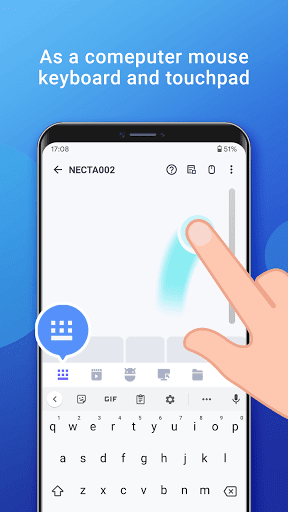
Tired of switching devices to handle simple tasks? Transform your Android phone into a powerful wireless mouse, keyboard, trackpad, and remote command center! Effortlessly control your Windows, macOS, or Linux computer from your couch, or manage it across the globe via the internet.
🌟 NEW: Smart Cloud Clipboard & AI Tools (Internet) 🌟 Bridge the gap between your mobile and desktop like never before:
Cross-Device Copy/Paste: Instantly send your phone's clipboard text to your computer via the internet.
AI-Powered Processing: Send text from your phone and let your computer Translate or Summarize it instantly—perfect for research and productivity!
Remote URL Launcher: Open any link on your PC's browser remotely from your phone.
💻 Unlock the Full Potential of Your Phone:
🖱️ Precision Control (Local WiFi)
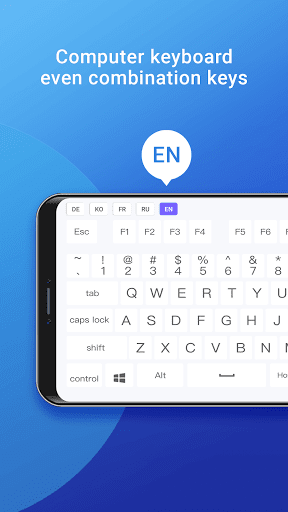
Smooth & Fast: Low-latency touchpad, Air Mouse (Gyro), and full keyboard support (with Emojis 😂).
Voice to Text: Dictate on your phone and watch the text appear on your PC screen.
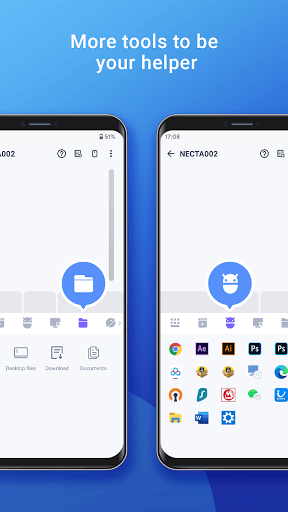
App Launcher: Start your favorite desktop programs with a single tap.
🎬 Entertainment & Media Master
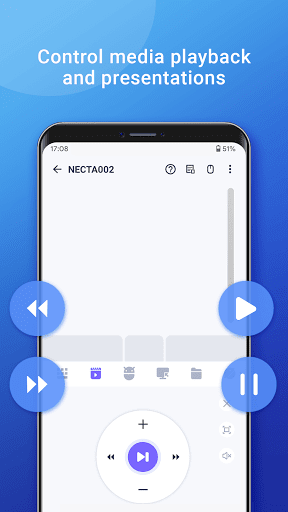
Total Control: Manage Spotify, VLC, YouTube (web), Netflix (web), and QuickTime. (Premium)
Presentation Pro: Control PowerPoint/Keynote slides right from your palm.
⚡ Power User Features (Premium)
Remote Desktop (RDP): View and interact with your PC screen on your phone.
Global Power Control: Shutdown, Restart, or Sleep your PC from anywhere via the internet.
Game Pad Mode: Use your phone as a controller for Roblox and other PC games.
Universal TV Remote: Use your phone's IR blaster to control Samsung, LG, Sony, and TCL TVs.
✅ Setup in Seconds:
1. Download the FREE Mouse Server for PC/Mac/Linux: https://wifimouse.necta.us
2. Install & Run it (Ensure your firewall allows port 1978).
3. Connect your phone and computer to the SAME WiFi (for mouse) or use your Account for internet features.
Control instantly!
🔐 Permissions Explained:
Full Network Access: Connects the app to your computer server.
Control Vibration: Provides tactile feedback for a realistic feel.
Transmit Infrared: For the TV remote feature (requires hardware IR blaster).
👉 Ditch the old-school dongles! Download WiFi Mouse NOW and turn your phone into the ultimate AI-powered control hub!


Related Applications




Users Also Installed






Similar Applications